
Applying for the Kasumi Credit Card online is a simple process if you follow each step carefully. This guide will walk you through the application, requirements, and setup.
AEON backs the Kasumi Card and offers multiple smartphone payment options. It’s a reliable option for both in-store and online use.
Eligibility Requirements to Apply
To get started, make sure you meet the age and documentation criteria. You must also prepare some digital tools.

Age and Identity Rules
You must be at least 18 years old to apply. High school students can apply only after January 1 of the year they graduate.
Your name must be entered in regular kanji to avoid identification issues. If your name does not match your ID, your card may not be issued.
Mobile Number and Internet Access
You need a valid mobile number to apply. This number will be used for contact and authentication.
A stable internet connection is also required to access the AEON online application platform. Without these, the application cannot proceed.
What to Prepare Before You Start?
Gather these documents and credentials before opening the application form. It will help you complete the process faster.
Banking and Email Setup
You need your cash card and bankbook from a supported Japanese bank. These are required to set up an online direct debit.
Also, confirm that you can receive emails from “@email.aeon.co.jp” and “@aeon.co.jp.” These domains send confirmation and update messages.
Valid Address and Device Readiness
The card will be mailed to the address you provided, so please ensure your entry is accurate. Delivery may take up to one month, depending on the season.
You should also prepare the smartphone you will use with AEON Wallet. This ensures quick digital access to your card.
Step-By-Step Kasumi Credit Card Application
Follow this four-step process to apply online. Each part must be completed in order.
Step 1: Online Form Submission
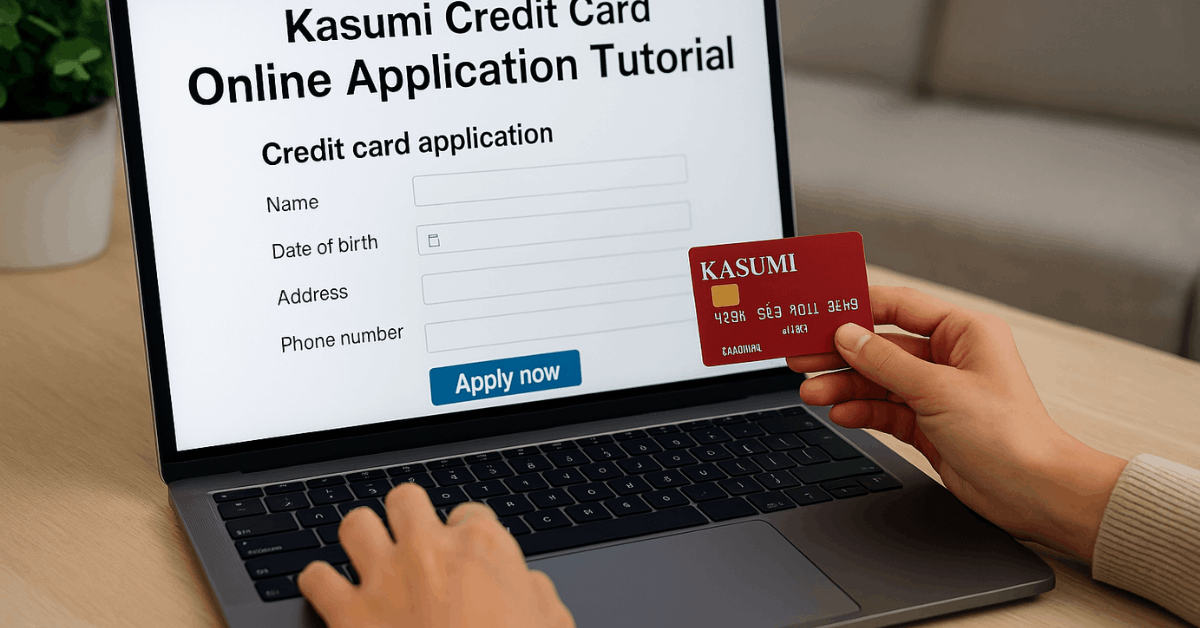
Fill out the online form with your name, address, and contact number. Make sure every detail matches your official documents.
Once submitted, you will receive a confirmation email. This confirms that AEON has received your application.
Step 2: Application Review and Email
AEON will begin screening your submission. If approved, a review completion email will be sent in as little as five minutes.
Do not delete this email, as it contains necessary card activation info. Keep it stored safely in your inbox.
Step 3: Activate on Your Smartphone
Once approved, log in to the AEON Wallet app. You can view your card number and start using it digitally.
This feature is useful for shopping online or in stores. Activation does not require waiting for the physical card.
Step 4: Card Delivery
Your physical Kasumi Credit Card will be sent by mail. Expect delivery within two weeks to one month.
Use the digital version in the meantime for payments. The card is shipped to the address you entered during the application.
Device Compatibility and Selection
Your smartphone choice affects how you use the Kasumi Card. Choose the right option based on your device.
Choosing iPhone, Android, or No Smartphone
During the application, select your smartphone type. If you choose iPhone or Android, you can set up payments instantly.
If you do not use a smartphone, choose the third option. This choice will affect how you access your card after approval.
For iPhone Users
iPhone users can use AEON Wallet to view card details. You can also pay using Apple Pay and iD at supported stores.
Shopping online is possible even if you don’t have your card in hand. The Wallet app provides both card numbers and security codes.
For Android Users
Android users also get full access to AEON Wallet. You can use AEON Pay and iD in stores.
AEON iD requires the installation of the Osaifu-Keitai app. The Wallet also gives access to the card number and security code.
Common Issues and How to Avoid Them
Mistakes can delay your application or block approval. Prepare in advance to avoid these problems.
Matching Your ID and Name
The name you enter must match your official ID exactly. AEON will not accept applications if your name uses outdated or unsupported kanji.
This is especially important when your name doesn’t fit the character limit on the card. Consider applying in-store if you face such issues.
Card Not Arriving
Card delivery might be delayed during long holidays. AEON notes that some cards can take up to one month to arrive.
Use the AEON Wallet for payments while waiting. If delivery exceeds a month, contact their support team.
Technical Access Errors
Sometimes AEON’s site blocks applications made between 20:00 and 21:30. These are reviewed the next day or later.
If you apply after 21:30, your application will be delayed until the next business day. Apply earlier in the day for faster review.
When to Apply and What Happens Next?
Timing can affect how fast your card is reviewed. You should also know what to expect after applying.
Time Restrictions on Submissions
AEON reviews applications between 8 AM and 9:30 PM. Submissions between 8 PM and 9:30 PM may not be reviewed until the next day.
Late-night submissions after 9:30 PM are automatically delayed. Planning your time can help you get faster results.
After the Screening Process
Not every application is approved. AEON may reject applications based on internal checks.
You won’t always get a reason, but you can reapply later. Use accurate data to reduce your chances of rejection.
Contacting AEON for Help
If something goes wrong, AEON has support options. You should reach out if your card is delayed or you can’t activate it.
Customer Support by Phone
Call the WAON Call Center at 0570-064-375. The line is open from 9:00 AM to 9:00 PM all year round.
Be sure to call yourself, not through someone else. Misdialing the number may lead to service delays.
What to Prepare When Calling?
Prepare your personal details when calling. They may ask for your name, phone number, and application time.
Be ready to explain the issue clearly. Support may ask you to confirm your email as well.
Features You Can Use After Approval
After approval, you can access your card digitally and physically. The features enhance both convenience and security.
Smartphone-Based Payments
AEON Wallet works with AEON Pay, Apple Pay, and iD. Payments can be made instantly using your phone.
This is helpful while waiting for the card to arrive. Most stores in Japan accept these digital options.
Secure Online Shopping
You can check your full card number and CVV on the app. This allows you to shop online without carrying a physical card.
The Wallet adds a layer of security through digital verification. You also get transaction alerts.
Full Wallet Integration
AEON Wallet supports balance tracking and digital receipts. You can manage your Kasumi Card through the app. It updates in real-time as you spend. This makes budgeting and control easier.
Final Tips Before Submitting
Review everything before you hit submit. Errors in this stage can lead to issues later.
Double-Check Critical Details
Make sure your name is entered in regular kanji only. Verify your address and mobile number twice.
Ensure your email domain is not blocking AEON messages. These simple checks help prevent failure.
Choose the Right Device Option
If you use a smartphone, select the correct device type. If you do not have one, indicate that clearly.
Your smartphone type affects how you use the digital card. AEON uses this info to guide your activation process.
Disclaimer: The information in this guide may change over time; therefore, please check the official AEON website for the most up-to-date details.
Conclusion: Ready to Apply for the Kasumi Credit Card?
The Kasumi Credit Card offers a fast and easy way to shop with or without a physical card.
You only need to meet the age requirement, have proper documentation, and follow the steps correctly.
AEON Wallet makes it convenient to use your card digitally right after approval. With this guide, you’re fully prepared to apply with confidence.